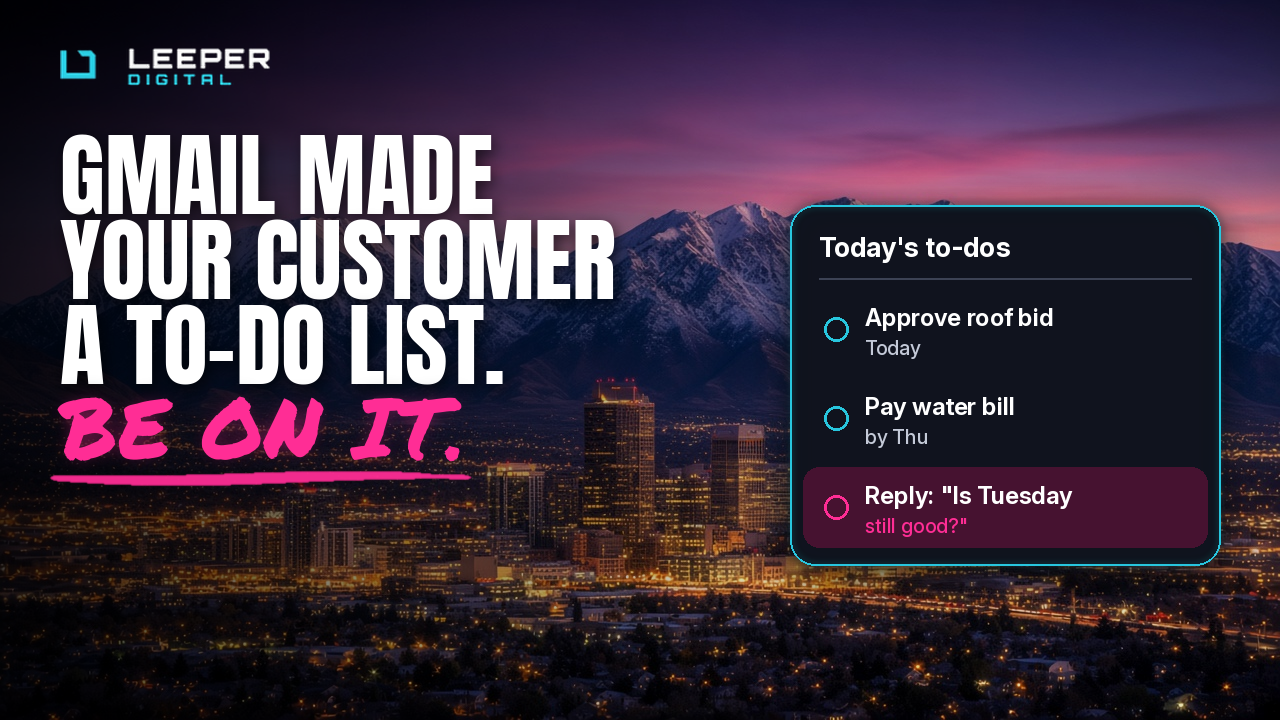
It's 7:40 on a Monday in Sandy. A property manager opens Gmail with her coffee, and before she sees a single email, Gmail shows her a short list. Approve the roof bid. Pay the water bill by Thursday. Reply to the HVAC guy about Tuesday's install.
Your monthly newsletter is not on the list. It's in Promotions, next to a mattress sale that has been ending since 2019.
The HVAC guy, on the other hand, is having a great morning.
What Changed This Month
Google's AI Inbox started rolling out to paid Google Workspace accounts on October 12, and the second wave, which covers most business accounts, began on October 26. Google's announcement says it pulls "suggested to-dos" and "topics to catch up on" out of a person's email, and that there is no admin control to turn it off company-wide. TechRepublic noticed that part too.
For now it's US-only and English-only, and each person can still hide it in their own settings. But a lot of the business owners, office managers and buyers you email every week are about to get a new front page for their inbox.
Here's how Gmail's own help page describes what feeds it:
- It only reads the Primary tab. Not Promotions. Not Social.
- It leaves out anything the person archived, deleted, muted or snoozed.
- It picks important people using signals like who you email often, who's in your contacts, and relationships it can infer from the messages themselves, according to Google's original launch post.
Read that list again and it's a pretty good description of a healthy customer relationship. Google just automated the part where your customer decides whether you're worth their morning.
Meanwhile, the Rent Went Up on Social
This lands the same fall that social platforms got more expensive for businesses that just want to share a link. Per FINN Partners' October roundup, Meta launched a Meta One subscription in September, with clickable links in organic Instagram posts and Reels starting on a paid tier, and some Facebook Page managers reporting caps on link posts unless they subscribe.
We're not telling you to quit social. We run organic social for a living. But it's a good month to notice the difference between an audience you rent and a relationship you own. Your email list is the owned one. Nobody can put a monthly fee on your customer hitting reply.
The Real Goal: Be Someone They Reply To
Gmail's AI Inbox doesn't reward clever subject lines. It rewards being a person in someone's life who sends things that need doing. That's not a hack. That's just being a good business to hear from.
Here's what that looks like in practice.
1. Send fewer blasts and more letters
A designed, image-heavy promo from a no-reply address is built for Promotions, and Promotions is exactly where AI Inbox doesn't look. That's fine for your Black Friday sale. It's not fine for the things a customer actually needs to act on.
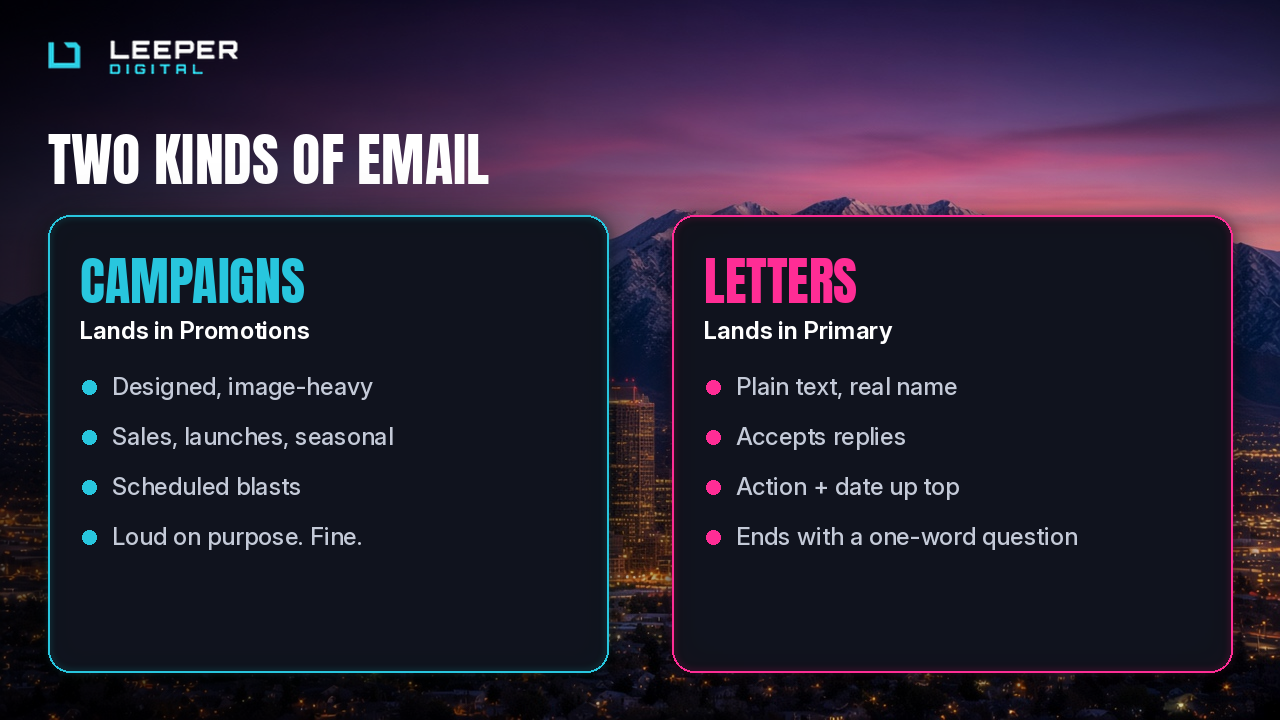
Split your email into two kinds:
- Campaigns: sales, launches, the seasonal stuff. Designed, scheduled, Promotions-bound. Normal.
- Letters: plain text, from a real person's name and a real address that accepts replies. Appointment reminders, quote follow-ups, "your filter is due," "here's what we found on Tuesday."
The second kind is what ends up in Primary, gets answered, and turns you into a contact instead of a sender.
2. Put the to-do in the first two lines
AI Inbox pulls action items out of email, the way a bill gets turned into "Pay by Thursday." Help it. If you need something, say what and by when, up top:
Hi Dana, your spring irrigation start-up is open for booking. Pick a week by April 4 and we'll hold your usual Tuesday.
Not three paragraphs about your company's values first. Your values will survive being in paragraph four.
3. Ask a question people can answer in one word
Replies are the whole game. A reply makes you someone they've emailed, and that's one of the signals Google says it uses. So end with something easy:
- "Same time as last year?"
- "Want us to text instead?"
- "Is Tuesday still good?"
One honest question beats a footer with nine social icons.
4. Get people to save your address
"Add us to your contacts" sounds like 2008 advice. It's 2026 advice now, because contacts are a named signal. Ask once, in the welcome email, with a reason that's about them: "Save this address so appointment reminders don't get lost."
5. Clean the list before the holidays do it for you
Mailbox providers are stricter than they used to be. Knak's October roundup collects the current rules: Gmail wants spam complaints below 0.10% and treats 0.30% as a line you don't want to cross, and bulk senders need authentication and one-click unsubscribe. If you're planning a big November, October is when you remove people who haven't opened in a year and make sure your domain's SPF, DKIM and DMARC records are actually set up.
Nobody has ever missed a holiday email from a business they forgot they signed up for. They just mark it as spam, which costs you more than the unsubscribe would have.
6. Make it readable for everyone
Plain, clear email is also accessible email. Short sentences, real text instead of text baked into images, descriptive links instead of "click here," and captions on any video you link to. Deaf and hard-of-hearing customers, people reading on a phone in a parking lot, and Gmail's summarizer all appreciate the same thing: words that say what they mean.
What This Looks Like for a Local Business
A landscaper in Riverton doesn't need a new platform. They need:
- A monthly letter from the owner, plain text, one useful thing and one question.
- Service reminders that come from a person who answers.
- A seasonal campaign or two that's allowed to be loud and land in Promotions.
- A list that gets cleaned twice a year.
That's an email system. It costs attention, not ad spend, and it compounds. Every reply makes the next email more likely to be seen.
The Checklist
- [ ] Send customer-facing letters from a real name and an address that accepts replies
- [ ] Separate "letters" (plain, personal, actionable) from "campaigns" (designed, promotional)
- [ ] Put the action and the date in the first two lines
- [ ] End letters with a question people can answer in one word
- [ ] Ask new subscribers to save your address, and say why it helps them
- [ ] Remove contacts who haven't opened in 12 months before your holiday sends
- [ ] Confirm SPF, DKIM and DMARC are set up on your sending domain
- [ ] Make sure every campaign has one-click unsubscribe
- [ ] Write in real text, with descriptive links and captioned video
The Short Version
Gmail now hands busy people a short list of what matters. You get on it the old-fashioned way: by being someone they know, sending things they need, and asking questions they want to answer.
If you want help building email that people reply to, email [email protected] or reach out at leeperdigital.com/contact/.