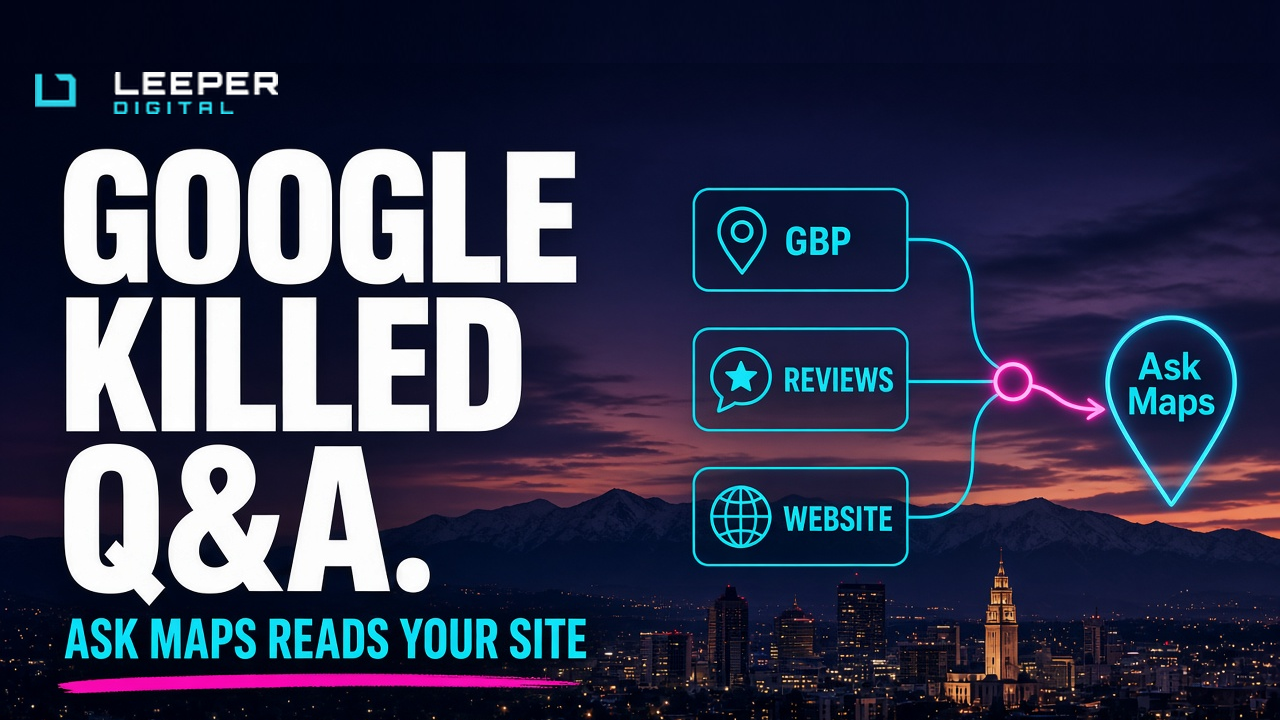
Your agency still has “seed Google Q&A” on the checklist.
That checkbox is dead.
Google’s own Business Profile API changelog says the My Business Q&A API was discontinued on November 3, 2025. You can no longer read or post questions and answers through that API. BrightLocal’s April 2026 handbook is blunt: traditional Q&A is gone, replaced by an AI experience called Ask Maps.
Leeper Digital does not sell ads. We sell organic systems. This one is simple: stop writing fake Q&A threads. Start feeding the sources Ask Maps actually reads.
What Google shipped (and what it replaced)
For years, Q&A lived on the Google Business Profile. Customers asked. Anyone could answer. Owners seeded branded FAQs. Rogue replies and stale prices made it a reputation tax as often as a ranking lever.
Then Google moved the job.
On March 12, 2026, Miriam Daniel (VP & GM, Google Maps) announced Ask Maps: a Gemini-powered conversational layer in Maps. Ask things a yellow-pages listing never answered — “where can I charge my phone without waiting in a long coffee line,” “public tennis court with lights tonight.” It rolled out first in the U.S. and India on Android and iOS, with desktop promised next.
BrightLocal’s guide (last updated April 2026) maps how answers get built for a specific place:
- Your Google Business Profile (description, services, attributes, hours, photos, posts)
- Customer reviews (Google and other review sites)
- Your website (service pages, FAQs, contact facts)
- Third-party sources when owned data is thin
- Or “not enough information” when nothing trustworthy exists
You do not edit a canned answer anymore. You manage the inputs. If Ask Maps is wrong about parking in South Jordan or same-day AC in West Jordan, the fix is better profile data, better reviews, and better pages — not a ticket to “edit Q&A.”
Why Salt Lake City shops should care this week
Utah buyers already ask Maps before they call. Same-day HVAC. Emergency plumber. “Open late near me.” “Do they take insurance.” “Is parking free.” That conversation used to land in a static Q&A box you could seed. Now Gemini answers in real time from whatever it trusts.
If your profile still says “serving the Wasatch Front” and your service page is commodity fluff, Ask Maps has nothing precise to quote. It will lean on a competitor with specific reviews, clear attributes, and a page that answers the question in plain English.
This is not a new paid product. It is the same organic stack we already sell: Maps, organic, and AI, plus non-commodity service pages. Ask Maps just made the cost of thin data obvious.
Google’s Search rule still applies on the website side
Ask Maps is Maps. AI Overviews and AI Mode are Search. Same company, same quality bar.
Google’s generative AI optimization guide is explicit: create unique, non-commodity, people-first content; keep a clear technical structure; keep Business Profile (and Merchant Center where relevant) details current. Structured data helps rich results, but Google says there is no special schema required just for generative AI features. What is required for AI Overviews / AI Mode supporting links: the page is indexed and eligible for a snippet.
On June 3, 2026, Search Console launched Generative AI performance reports (impressions, pages, countries, devices, dates) for visibility inside AI Overviews, AI Mode, and Discover AI features — rolling out to a subset of sites first. That is the website scoreboard. Ask Maps does not give you an equivalent owner dashboard yet. BrightLocal notes there is still no clean way to see “what customers asked about my listing.” So you test by asking, note the sources cited, and fix the gaps.
Do not invent an “Ask Maps SEO package” that is really ads. Do invent a weekly habit: ask five real customer questions about your own listing and write down where the answer came from.
The no-ads playbook (feed the model)
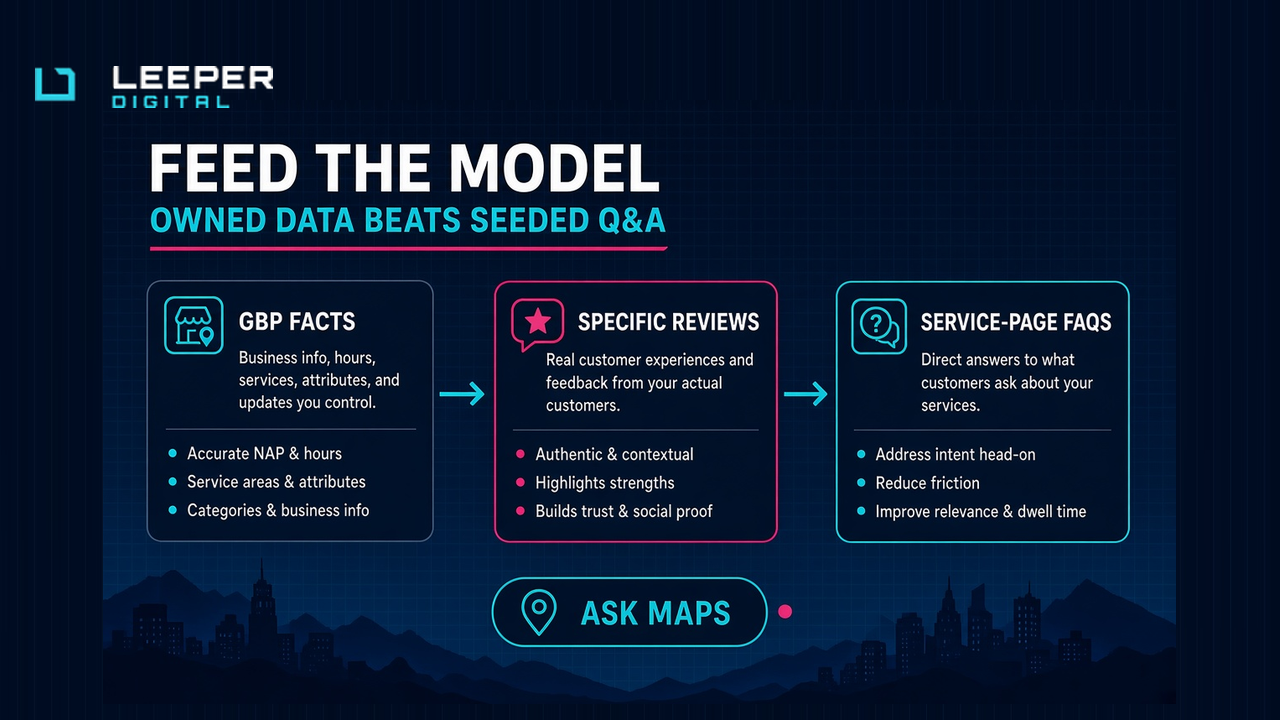
1. Treat the Business Profile as the primary fact sheet
Fill categories, services, attributes, hours (including holiday hours), description, and products where they apply. Upload current photos of the shop, team, and finished work. Delete photos that show old branding or services you no longer offer. Ask Maps surfaces profile photos in answers. Stale images become stale answers.
2. Ask for specific reviews, not “five stars please”
Gemini cites review text. “Great service!” is almost useless. “Same-day AC repair in Herriman on a Saturday, clear pricing, tech named Jordan” is fuel. Prompt happy customers for the job, the city, and the outcome. Reply to reviews. Recency and detail beat vanity volume.
3. Move every old Q&A answer onto a page you own
Whatever you used to seed in Q&A — parking, service area, financing, emergency hours, ASL / Zoom availability — belongs on the matching service page or a real FAQ section. Answer in short, quotable paragraphs under clear headings. That is what both Ask Maps and Search AI features can lift. Commodity “we’re passionate about excellence” copy still fails here.
4. Keep NAP and third-party listings consistent
When owned sources conflict with directories, Ask Maps can invent a mashup or pick the wrong one. Fix your own site and profile first. Then politely correct listings that still show the old phone or hours.
5. Measure what you can on Search; test Maps by hand
Use Search Console’s generative AI report when you have it. For Maps, open Ask Maps on your listing (or the search bar under “Ask Maps about this place”), run the questions your front desk already hears, and treat wrong answers as a content ticket — not a panic.
Why this matters in the Deaf community
Deaf-led businesses already answer questions on video. An ASL clip that shows the shop entrance, how to book Zoom, or what “same-day” means is stronger proof than a seeded text FAQ ever was.
Ask Maps pulls from reviews, photos, and the website. Pair that with the Search Console platform properties work: Instagram and YouTube posts that earn Search impressions are measurable. Captions and on-screen text help hearing searchers; the signed answer is the product for Deaf buyers.
Leeper Digital’s Dominate line exists for this: ASL-first, Deaf-led, community rate, limited spots. Zoom or ASL is always fine. If your Maps answers cannot describe how a Deaf owner actually works with clients, the model will invent a hearing-world version of you.
What to do this week
- Confirm Q&A is gone on your listing. Stop paying anyone to “manage Q&A.”
- Audit GBP completeness: categories, services, attributes, hours, photos, description.
- List the ten questions customers actually ask. Put honest answers on the relevant service pages.
- Request three specific reviews this week (job + city + outcome).
- Open Ask Maps on your profile. Ask those ten questions. Fix every wrong or empty answer at the source.
What we will not do
We will not quote prices here. We will not promise Ask Maps names your shop first. We will not sell ads to “fix” a thin profile. We will not pretend seeding fake Q&A still works. Google killed the API. The work is owned data.
If you need clocks, read the SEO timeline. Maps signals can move faster than statewide organic fantasies. Ask Maps still needs something true to quote.
Next step
Name, business, city or market, whether Ask Maps already answers about you, and whether you prefer email, Zoom, or ASL.
Email [email protected], text (385) 380-3383, or use https://leeperdigital.com/contact/. Bryan replies.